
















Home Blog Page 118

Unboxing and Review of Cooler Master MK750 Mechanical Keyboard

Cooler Master MK750 Mechanical Keyboard

The MasterKeys Pro L mechanical keyboard is a decent offering from Cooler Master, but it lacks any attractive features and customization. Now, the MK750 keyboard is the latest flagship keyboard for Cooler Master. And it has all the bells and whistles you would expect from a high-end mechanical keyboard.


Unboxing
Cooler Master MK750 Mechanical Keyboard

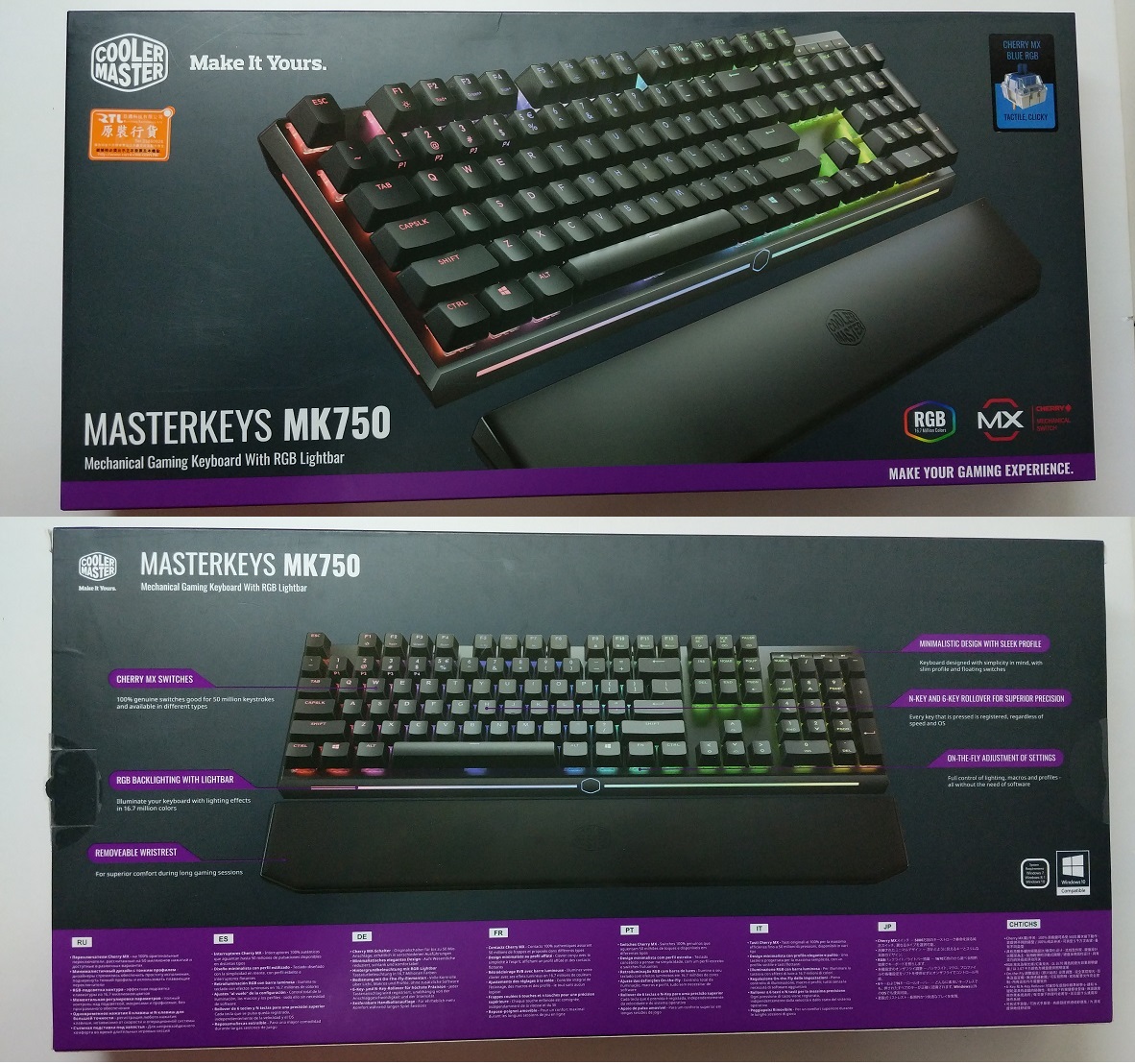
The packaging is mainly black in color, with some signature “Cooler Master” purple accents. An image of the keyboard and the included wrist rest sits right in front of the box, as well as the “Cherry MX” and “RGB” logos.

At the back, Cooler Master highlight six main features of the MK750, such as RGB backlighting and support for N-key rollover. The keyboard is compatible with Windows 7, Windows 8.1 and Windows 10.
Cooler Master MK750 Mechanical Keyboard

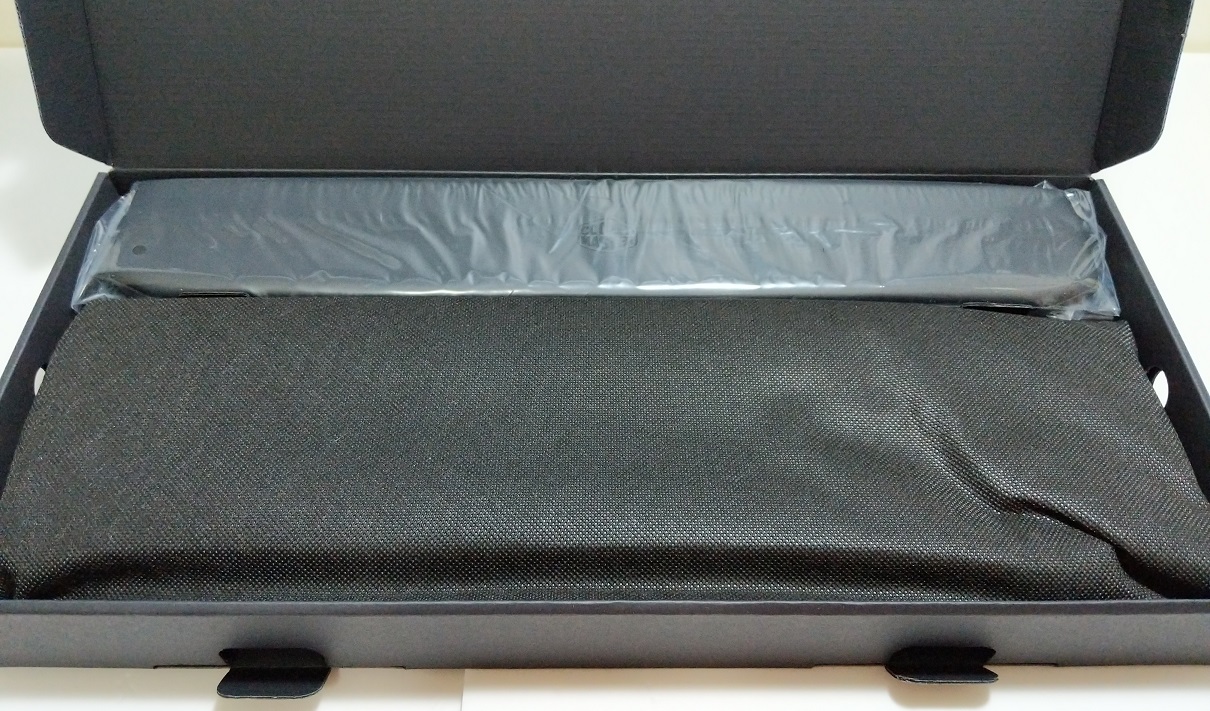
The MK750 keyboard is covered by a thin cloth, while the wrist rest is inside a small plastic bag to prevent any scratches and dust.

Cooler Master MK750 Mechanical Keyboard

A wrist rest, detachable USB cable and a set of purple replacement keycaps are included in the packaging. The user manual contains some helpful function key combinations, that can perform some basic functions without opening the software.

Cooler Master MK750 Mechanical Keyboard
Cooler Master MK750 Mechanical Keyboard

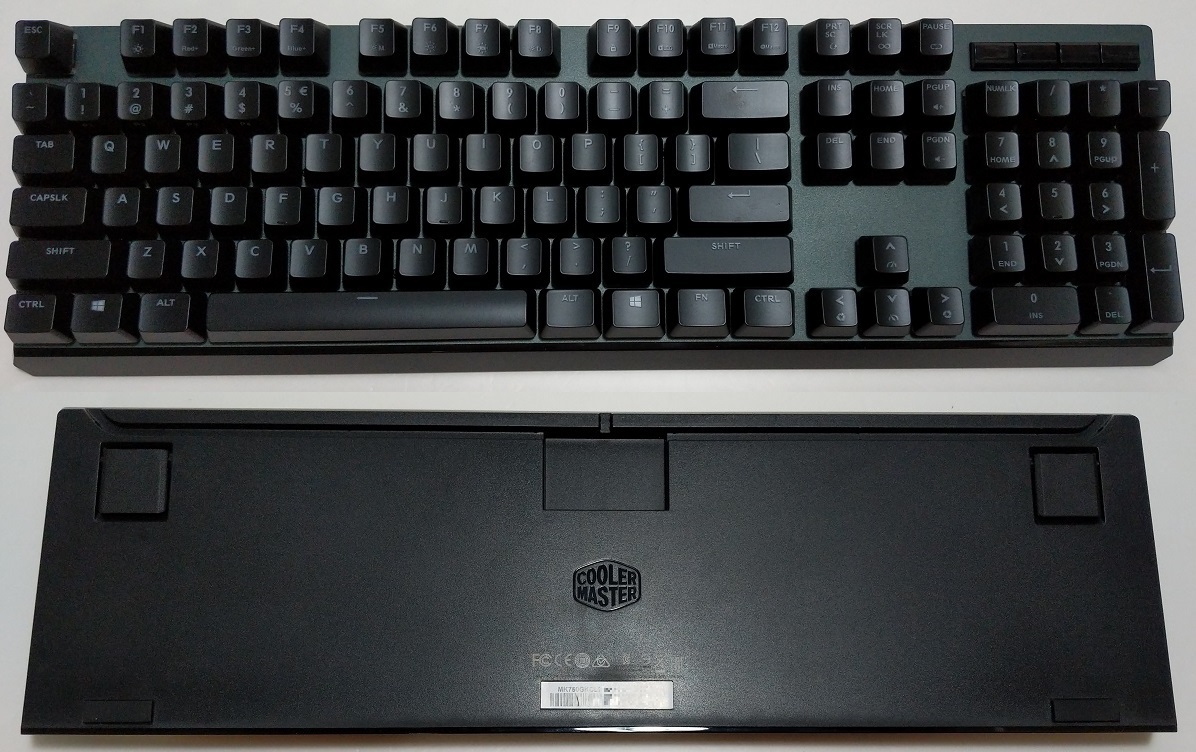
The MK750 is a full-sized 104 keys keyboard, which includes both the arrow keys and number pad. Above the number pad, there are four dedicated media control keys.

There is not much information at the bottom of the keyboard, except for the “Cooler Master” logo, regulatory symbols and the serial number.

Cooler Master MK750 Mechanical Keyboard

The MK750 keyboard uses the reversible USB Type C connector for data transmission and power. At the bottom, there are cable routing channels available for easier cable management. The detachable USB-C to USB-A cable is long and braided.
Cooler Master MK750 Mechanical Keyboard

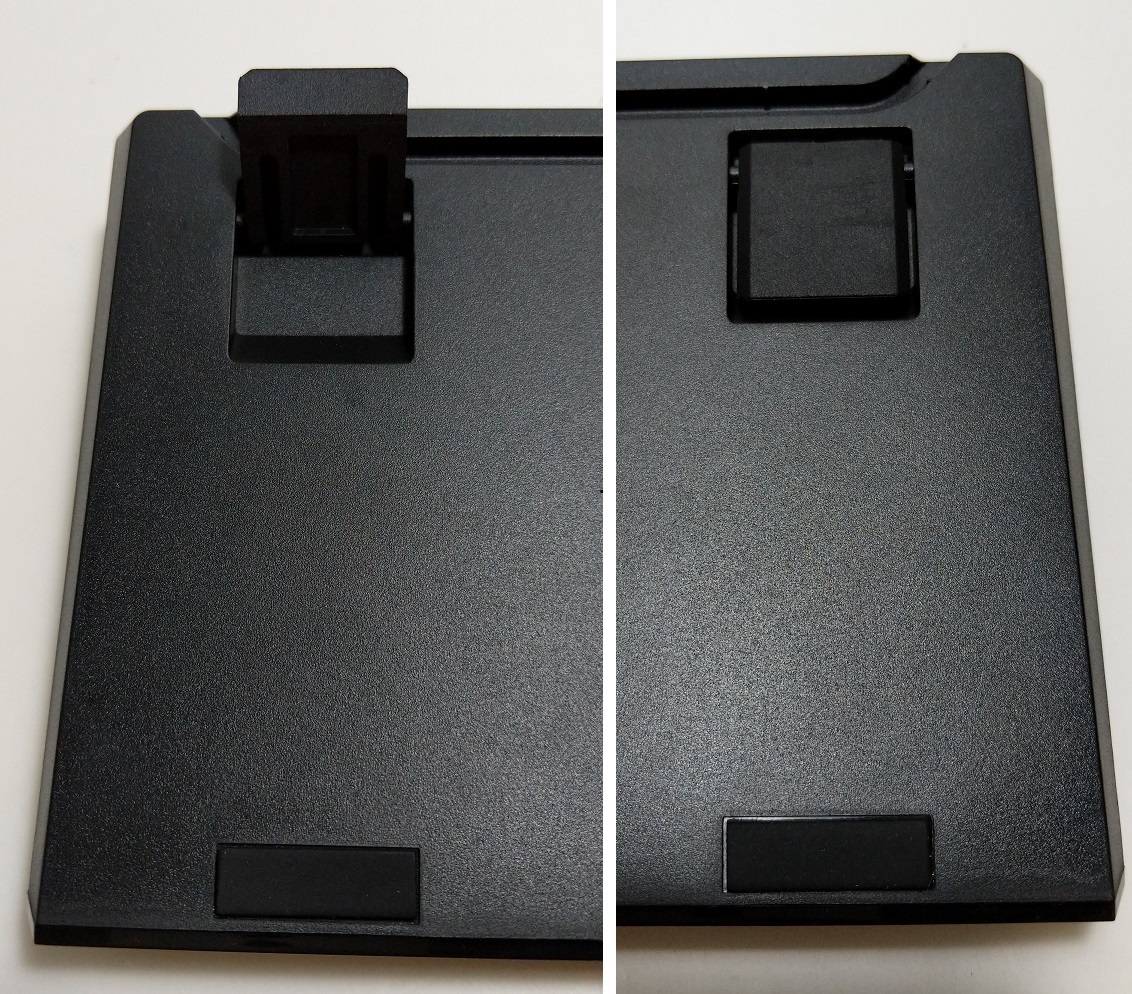
Each corner has rubber pad to prevent any slipping. The kickstands can be extended if you want a more inclined typing position.

Cooler Master MK750 Mechanical Keyboard

You can choose between genuine Cherry MX Red, Brown and Blue switches, which are three of the most popular key switch types. The translucent plastic housing of the switch allows more light from the RGB LED to shine through. The switches are not removable, so you will have to pick the one that fits you well.
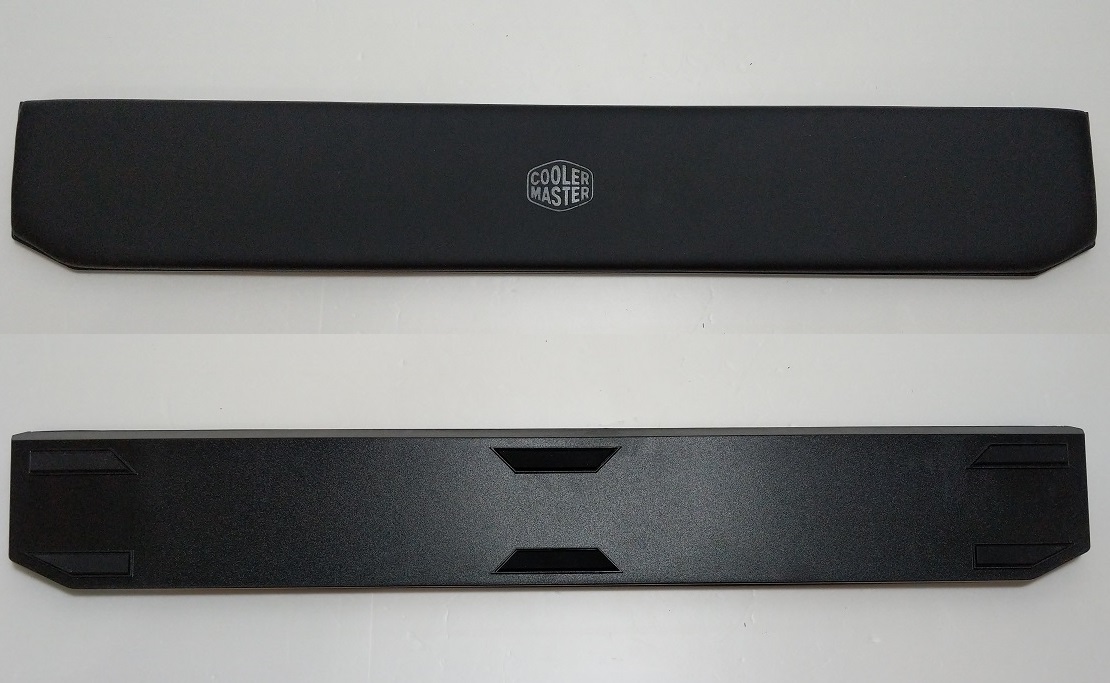
Cooler Master MK750 Mechanical Keyboard

The surface of the wrist rest is covered with soft PU leather (artificial leather). The bottom has a total of six anti-slip rubber pads. The wrist rest is magnetically attached to the side of the MK750 keyboard. It will just snap into place when it is close to the keyboard.

Cooler Master MK750 Mechanical Keyboard

The wrist rest feels really nice and comfortable, because of the rather thick gel-like cushion. It is much better than those hard plastic wrist rest from other manufacturers.

Cooler Master MK750 Mechanical Keyboard
A keycap puller is included in the packaging.

All keycaps on the keyboard are swappable. Cooler Master includes a set of replacement keycaps for the “WASD”, “Esc” and Arrow keys in their signature purple color. The default keycaps set has laser-etched legends, while the extra nine are double-shot molded. The lettering on the surface will less likely to wear off over time. The build quality of the keycaps are great and should be durable enough for a long period of time.

Review

Design
Cooler Master MK750 Mechanical Keyboard

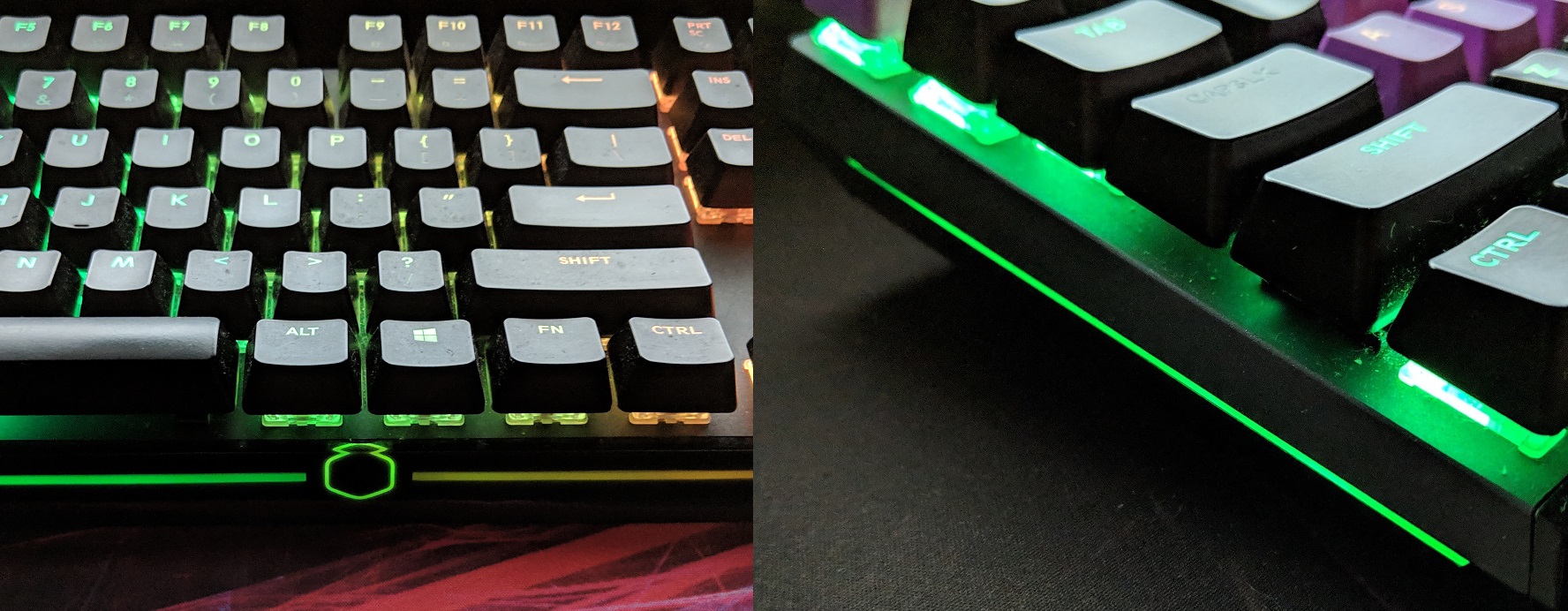
The MK750 keyboard uses a frame-less, floating-key design. All keys are spread edge-to-edge with minimal side bezels. The overall aesthetic is simple and non-aggressive. There is an anodized aluminum top plate for both look and structure rigidity.

Apart from the per-key RGB backlighting, one of the most interesting features for the MK750 is the RGB light bars on both sides and front, which can be individually configured in the software.

Cherry MX Blue Switches

All Cherry MX key switches are rated to last for at least 50 million keystrokes. The Cherry MX Blue switch is designed to give users both a tactile and audible feedback, which requires about 60 grams of actuation force. At each keystroke, you will hear and feel a noticeable click once you pass the actuation point. On the MK750 keyboard, the switches perform very well and consistently.

RGB Lighting and Software

Cooler Master MK750 Mechanical Keyboard

To customize the RGB backlighting of the MK750, you can download the software from Cooler Master’s website. However, for whatever reasons, Cooler Master decides to split the Portal/Firmware Updater and the software driver into separate applications. After opening the portal, you will need to click start to open the programming software, which is both confusing and unnecessary. It should be unified into a single application.

Fortunately, the programming software is easy-to-use, with clear instructions and prompts. There are four tabs above, controlling the RGB LED, Macro keys, key assignments and profiles respectively.

There are total of 21 preset lighting effects, such as rainbow wave, breathing, ripple and reactive tornado. You can choose to display certain patterns based on the audio (equalizers) or CPU usage. You can pick different colors for every individual key and particular section of the light bars. The RGB lighting of the MK750 is bright and vivid. The light is diffused evenly through the translucent housing of the switches. The transition between various lighting effects is smooth and pleasing.

The light bar is an awesome idea, that shines ambient light to the desktop. However, the light bars are too dim for most of the time, and the front light bar will be blocked if the wrist rest is in use.

You can watch the RGB lighting effects, as well as the how the keyboard sound (Cherry MX Blue) when typing in the video.

Extra features

There are four dedicated media keys above the number pad, which are “mute”, “play/pause”, “previous track” and “next track”. They are much shorter than the regular keycaps, which should reduce the chance of accidental clicks. The media keys are great additions and useful, but a standalone volume keys or dial should be a necessity for a high-end gaming mechanical keyboard. Though, you can control the volume by using “Fn + Page Up” and “Fn + Page Down”.

In the software, users can also set multiple macro actions, as well as reassigning each key for the keyboard. You can save various settings into four different profiles.

Conclusion

Unboxing Treatment Recommendation

The Cooler Master MK750 Mechanical Keyboard is an all-round keyboard with solid build quality and many features. The open-frame and floating-key designs contribute to the compact size and modern aesthetics. The removable USB-C cable makes replacing a damaged cable easy.

The Cherry MX Blue switches performed great as expected. The feedback is consistent with each key, with little to no keycap wobble. The RGB lighting of the MK750 looks incredible and vibrant, which can be customized with either onboard controls or software.

The MK750 keyboard is priced at $149.99 USD (MSRP), but certain switch types are about $10 USD cheaper at the time of this review. It comes with a 2-year warranty. This keyboard is not the perfect choice for those with limited budget. It is the top-of-the-line model in Cooler Master mechanical keyboard lineup. It packs most of the features you would expect from a high-end gaming keyboard, such as per-key RGB backlighting and macro keys (in software).

You can purchase the keyboard from your local/online resellers or the links below from Amazon and Newegg.


Feel free to leave comments below, if you have any opinion about this website. Share the website around if you enjoy reading it. Subscribe to our Newsletter or follow our Google+, Facebook and Twitter.

Support this website simply by shopping in Amazon. It will give us small kickbacks, if you use the above affiliate links to make any purchases, which will help us grow.

Specifications Comparison: MacBook Air 2018 vs MacBook Pro

Apple MacBook Air 2018
Screen Capture from Apple

The MacBook Air also gets its long-waited update on Apple’s October event. It is one of the biggest change for the MacBook Air in the past few years. Both the display, processor and keyboard are upgraded.


The older generation MacBook Air’s TN display with a resolution of 1440×900 is nowhere near acceptable for any laptops in 2018. Finally, Apple equips the new MacBook Air with a Retina Display (2560×1600), that we are accustomed to see in the MacBook Pros. It now has a much smaller screen bezels and a glossy glass front.

All MacBook Air models will feature the Intel 8th Generation Core i5 processor. It is a dual-core CPU, clocked at 1.6 GHz and can boost up to 3.6 GHz. 8GB of LPDDR3 RAM comes as standard, but can be upgraded to 16 GB. You can choose storage capacity from 128 GB up to 1.5 TB of PCIe SSD.

Apple MacBook Air 2018
Screen Capture from Apple

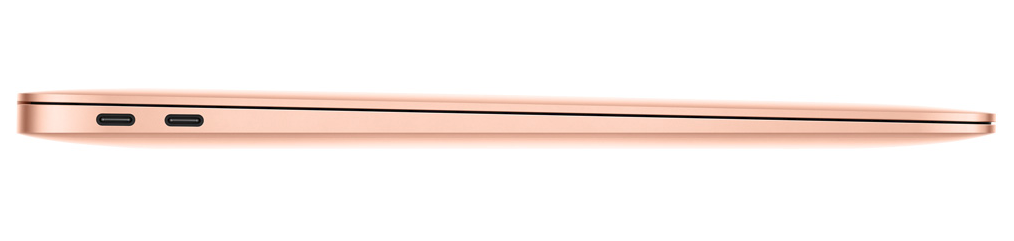
It also have the 3rd Generation Butterfly keyboard and Force Touch trackpad, as well as a Touch ID capable power button. For I/O, it has two Thunderbolt 3 ports and a 3.5 mm headphone jack. No more MagSafe power connectors are used in modern MacBook lineup.

The MacBook Air are now available for pre-order and will start shipping on November 7. The base model costs $1199 USD (MSRP), and can go up to $2599 USD for the max configuration.

[table id=64 /]

Feel free to leave comments below, if you have any opinion about this website. Share the website around if you enjoy reading it. Subscribe to our Newsletter or follow our Google+, Facebook and Twitter.

Support this website simply by shopping in Amazon. It will give us small kickbacks, if you use the above affiliate links to make any purchases, which will help us grow.

Specifications Comparison: iPad Pro 2018 vs iPads

Apple iPad Pro 2018
Screen Capture from Apple

Apple has announced the new iPad Pro on its October event. The iPad Pros get a major redesign with larger displays and better internals. As usual, the iPad Pros come in two screen sizes, 11-inch and 12.9-inch.


The most noticeable change for the iPad Pros is the much slimmer bezels on all sides. The home button is completely removed, replaced by the iPhone X’s gesture controls. This allows an 11-inch display to fit inside similar-sized enclosure of the 10.5-inch iPad Pro. The Touch ID fingerprint sensor is swapped by the Face ID TrueDepth sensors.

The new iPad Pros are equipped with the latest A12X Bionic chip, which uses the same 7-nm manufacturing process as the A12 SoC of the iPhone XR, Xs and Xs Max. According to Apple, the A12X consists of a 8-core CPU and a 7-core GPU. The chip has a whopping 10 billion transistors, 3 billion more than the A12. Apple claims to have 35% faster single-core or 90% faster multi-core CPU performance improvement.

Apple iPad Pro 2018
Screen Capture from Apple

Interestingly, Apple decides to switch the lightning port to a USB Type C port, that uses USB 3.1 Gen 2 standard (up to 10 Gbps). The USB-C port has the ability to connect to various peripherals, like displays and cameras. Apple also releases the 2nd generation Apple Pencil ($129 USD) with new gesture control and can be wirelessly charged by magnetically docked to the new iPad Pro.

The new iPad Pros can now be pre-ordered and will start shipping on November 7. The 11-inch model’s prices start from $799 USD (MSRP), and the 12.9-inch start from $999 USD (MSRP). The base model has 64 GB of storage, which you can choose up to 1 TB.

[table id=63 /]

Feel free to leave comments below, if you have any opinion about this website. Share the website around if you enjoy reading it. Subscribe to our Newsletter or follow our Google+, Facebook and Twitter.

Support this website simply by shopping in Amazon. It will give us small kickbacks, if you use the above affiliate links to make any purchases, which will help us grow.

Apple Finally Updates The Mac mini with More Powerful Hardware

Apple Mac mini 2018
Screen Capture from Apple

It’s almost 4 years before Apple finally releases a new generation Mac mini to the public. With the outdated Intel 4th Generation Core i5 dual-core CPU inside, the old Mac mini cannot keep up with modern workloads well enough. Now, Apple has put some powerful hardware inside the new Mac mini, which should vastly increase its performance.


The new Mac mini looks exactly identical to the older generations, except for the stealthy space gray color. The enclosure is made from 100% recycled aluminum.

For the base model, the Mac mini is equipped with an Intel 8th Generation Core i3 processor. It is a quad-core CPU, which is clocked at 3.6 GHz with 6 MB of L3 cache. You can also upgrade the Core i3 to either a 6-core i5 at 3.0 GHz (boost to 4.1 GHz) or a 6-core i7 at 3.2 GHz (boost to 4.6 GHz). The Mac mini comes with 8 GB of RAM as standard, but can be configured up to 64 GB. Unlike previous generation, all the new Mac mini will use PCIe SSD as their primary storage drive, which you can choose its capacity from 128 GB to 2 TB.

Apple Mac mini 2018
Screen Capture from Apple

The Mac mini now has four Thunderbolt 3 ports, two USB 3.0 ports, a HDMI 2.0 port and a 3.5 mm headphone jack at the back. The Gigabit Ethernet port can be upgraded to 10 Gigabit, if you want.

The Mac mini is available for pre-order now, and will ship on November 7. The base model is priced at $799 USD (MSRP). The price can go up to $4199 USD for all the upgrades, with 6-core i7 CPU, 64 GB of RAM, 2 TB SSD and 10 Gigabit Ethernet.

Feel free to leave comments below, if you have any opinion about this website. Share the website around if you enjoy reading it. Subscribe to our Newsletter or follow our Google+, Facebook and Twitter.

Support this website simply by shopping in Amazon. It will give us small kickbacks, if you use the above affiliate links to make any purchases, which will help us grow.

ZOTAC GeForce RTX 2070 AMP Extreme Core Specifications

ZOTAC GeForce RTX 2070 AMP Extreme Core
Overview
ManufacturerZOTAC
Model NameZT-T20700C-10P
MSRP$629.99 USD
Release DateOctober 2018
Graphics Processing Unit
Micro-ArchitectureTuring
Model No.TU106
Fabrication NodeTSMC 12 nm
CUDA Cores2304
Texture Mapping Units144
Render Output Units64
SMPs36
Tensor Cores288
RT Cores36
Memory Specifications
Memory Size8 GB
Memory TypeGDDR6
Memory Bus256-bit
Memory Bandwidth448.0 GB/s
Clock Speeds
Base Clock1410 MHz
Boost Clock1815 MHz
Memory Clock1750 MHz
Effective Memory Clock14000 MHz
Other Technical Specifications
InterfacePCI-Express 3.0 x16
Outputs3x DisplayPort 1.4, 1x HDMI 2.0b, 1x USB Type-C
Power Connectors1x 8-pin, 1x 6-pin
TDP225 watts
Height2-slot
Width11.3 cm or 4.45 inches
Length30.8 cm or 12.13 inches

ZOTAC GeForce RTX 2070 AMP Extreme Specifications

ZOTAC GeForce RTX 2070 AMP Extreme
Overview
ManufacturerZOTAC
Model NameZT-T20700B-10P
MSRP$749 USD
Release DateOctober 2018
Graphics Processing Unit
Micro-ArchitectureTuring
Model No.TU106
Fabrication NodeTSMC 12 nm
CUDA Cores2304
Texture Mapping Units144
Render Output Units64
SMPs36
Tensor Cores288
RT Cores36
Memory Specifications
Memory Size8 GB
Memory TypeGDDR6
Memory Bus256-bit
Memory Bandwidth448.0 GB/s
Clock Speeds
Base Clock1410 MHz
Boost Clock1860 MHz
Memory Clock1750 MHz
Effective Memory Clock14000 MHz
Other Technical Specifications
InterfacePCI-Express 3.0 x16
Outputs3x DisplayPort 1.4, 1x HDMI 2.0b, 1x USB Type-C
Power Connectors1x 8-pin, 1x 6-pin
TDP225 watts
Height2-slot
Width11.3 cm or 4.45 inches
Length30.8 cm or 12.13 inches

ASUS ROG Strix GeForce RTX 2070 OC Edition Specifications

ASUS ROG Strix GeForce RTX 2070 OC Edition
Overview
ManufacturerASUS
Model NameROG-STRIX-RTX2070-O8G-GAMING
MSRP$629.99 USD
Release DateOctober 2018
Graphics Processing Unit
Micro-ArchitectureTuring
Model No.TU106
Fabrication NodeTSMC 12 nm
CUDA Cores2304
Texture Mapping Units144
Render Output Units64
SMPs36
Tensor Cores288
RT Cores36
Memory Specifications
Memory Size8 GB
Memory TypeGDDR6
Memory Bus256-bit
Memory Bandwidth448.0 GB/s
Clock Speeds
Base Clock1410 MHz
Boost Clock1815 MHz
Memory Clock1750 MHz
Effective Memory Clock14000 MHz
Other Technical Specifications
InterfacePCI-Express 3.0 x16
Outputs2x DisplayPort 1.4, 2x HDMI 2.0b, 1x USB Type-C
Power Connectors1x 8-pin, 1x 6-pin
TDP185 watts
Height2-slot
Width13.06 cm or 5.14 inches
Length30.05 cm or 11.83 inches

ASUS ROG Strix GeForce RTX 2070 Advanced Edition Specifications

ASUS ROG Strix GeForce RTX 2070 Advanced Edition
Overview
ManufacturerASUS
Model NameROG-STRIX-RTX2070-A8G-GAMING
MSRP$619.99 USD
Release DateOctober 2018
Graphics Processing Unit
Micro-ArchitectureTuring
Model No.TU106
Fabrication NodeTSMC 12 nm
CUDA Cores2304
Texture Mapping Units144
Render Output Units64
SMPs36
Tensor Cores288
RT Cores36
Memory Specifications
Memory Size8 GB
Memory TypeGDDR6
Memory Bus256-bit
Memory Bandwidth448.0 GB/s
Clock Speeds
Base Clock1410 MHz
Boost Clock1650 MHz
Memory Clock1750 MHz
Effective Memory Clock14000 MHz
Other Technical Specifications
InterfacePCI-Express 3.0 x16
Outputs2x DisplayPort 1.4, 2x HDMI 2.0b, 1x USB Type-C
Power Connectors1x 8-pin, 1x 6-pin
TDP185 watts
Height2-slot
Width13.06 cm or 5.14 inches
Length30.05 cm or 11.83 inches

Follow Us on Social Media

583FansLike
635FollowersFollow
494FollowersFollow
1,494FollowersFollow
43SubscribersSubscribe

More Articles