We are hosting a giveaway to our readers for supporting the website. We will be giving away the SilverStone AR11 Low-profile CPU cooler (its review here) review unit.
Terms and Conditions:
There will be ONE winner in this giveaway. The winner will be randomly chosen, using Gleam.
The winner will get one SilverStone AR11 CPU Cooler (SST-AR11).
We are using Gleam to host this giveaway, which Gleam has a separate and independent privacy policy. We hold no responsibility and liability for content and actions of any third-party websites.
This giveaway starts from 7-7-2020 12:00:00 AM to 20-7-2020 11:59:59 PM in Pacific Time. (~14 Days)
This will be a worldwide giveaway, which is open to participants from any countries, where legal, with no age restrictions.
Shipping costs will be covered by the shipper, but any duties/taxes/other fees upon delivery will be the sole responsibility of the winner.
No purchase is necessary.
The winner will have 48 hours to respond to the E-mail ([email protected]) sent from us. A new winner will be drawn, if the original one does not respond within that time.
We, the UnbxTech, will hold the final decision.
The winners will be announced at this post, our social media, and our Newsletter after the prizes are shipped to the winner.
To get notify as quickly as possible, you can join our Newsletter for any information about this giveaway, as well as weekly updates about the websites.
HyperX has refreshed their first wireless gaming headset with the new Cloud Flight S. Like the Pulsefire Dart (its review here), Qi wireless charging is added with virtual surround sound support.
Unboxing
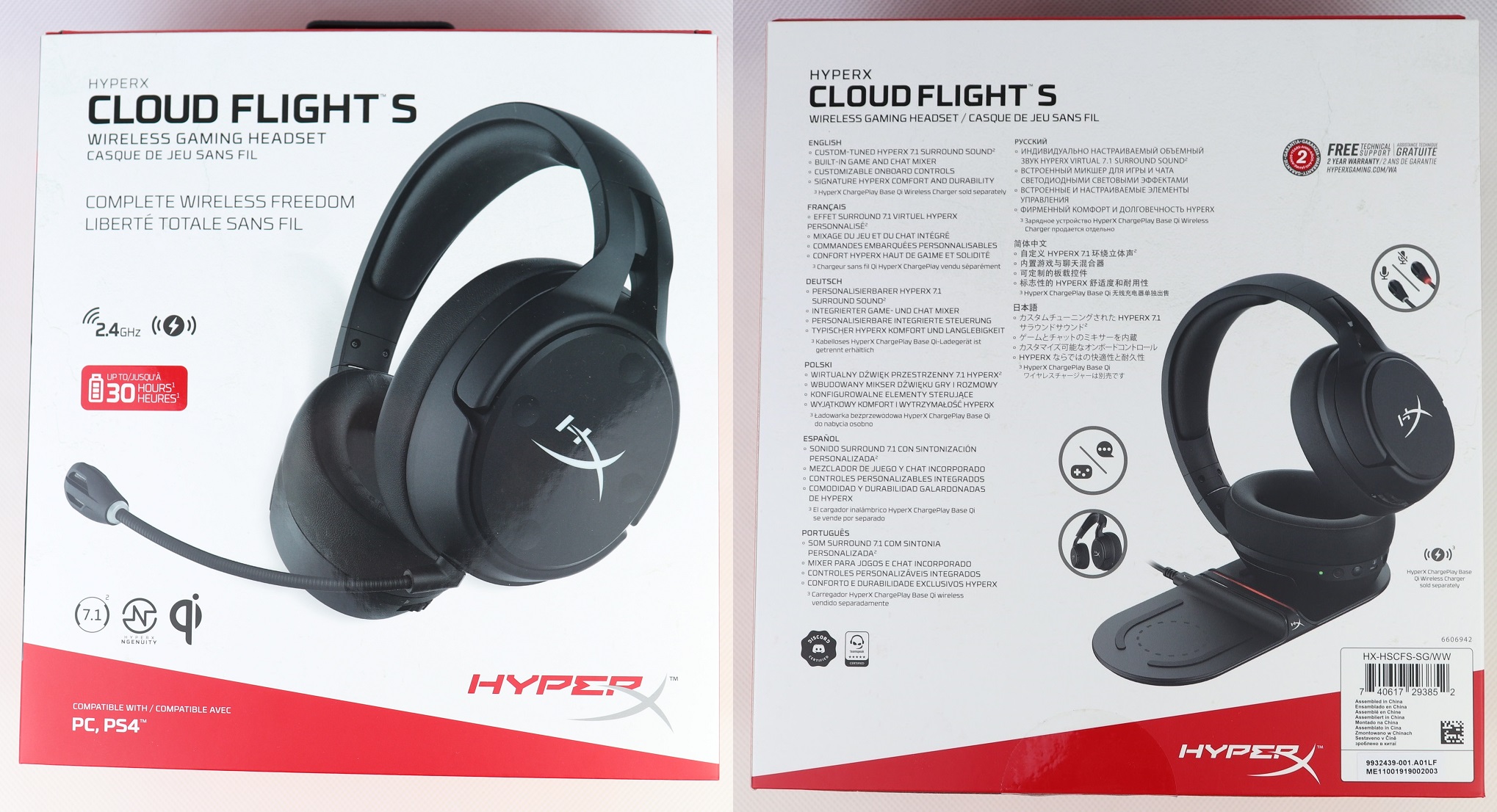
The outer cardboard sleeve sports the same white and red color scheme, which is the standard from HyperX products. A list of features, translated into nine different languages, is printed at the back. The Cloud Flight S headset is both Discord- and TeamSpeak-certified to work in game chats.
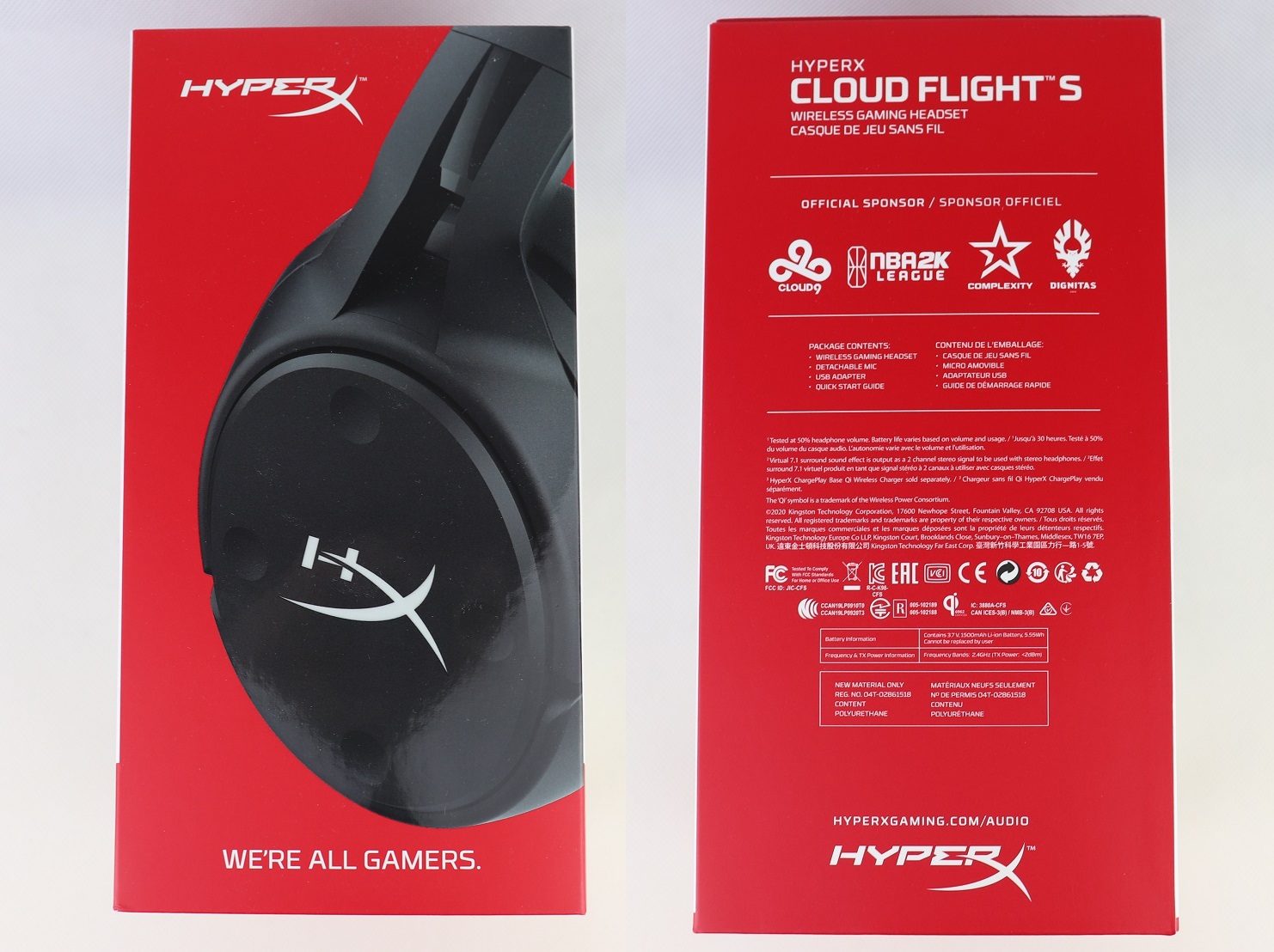
The side of the box provides the details about the internal battery and wireless receiver. The Cloud Flight S has the same non-removable 1500 mAh lithium-ion battery as the older Cloud Flight. It is advertised to last for 30 hours with a single charge.
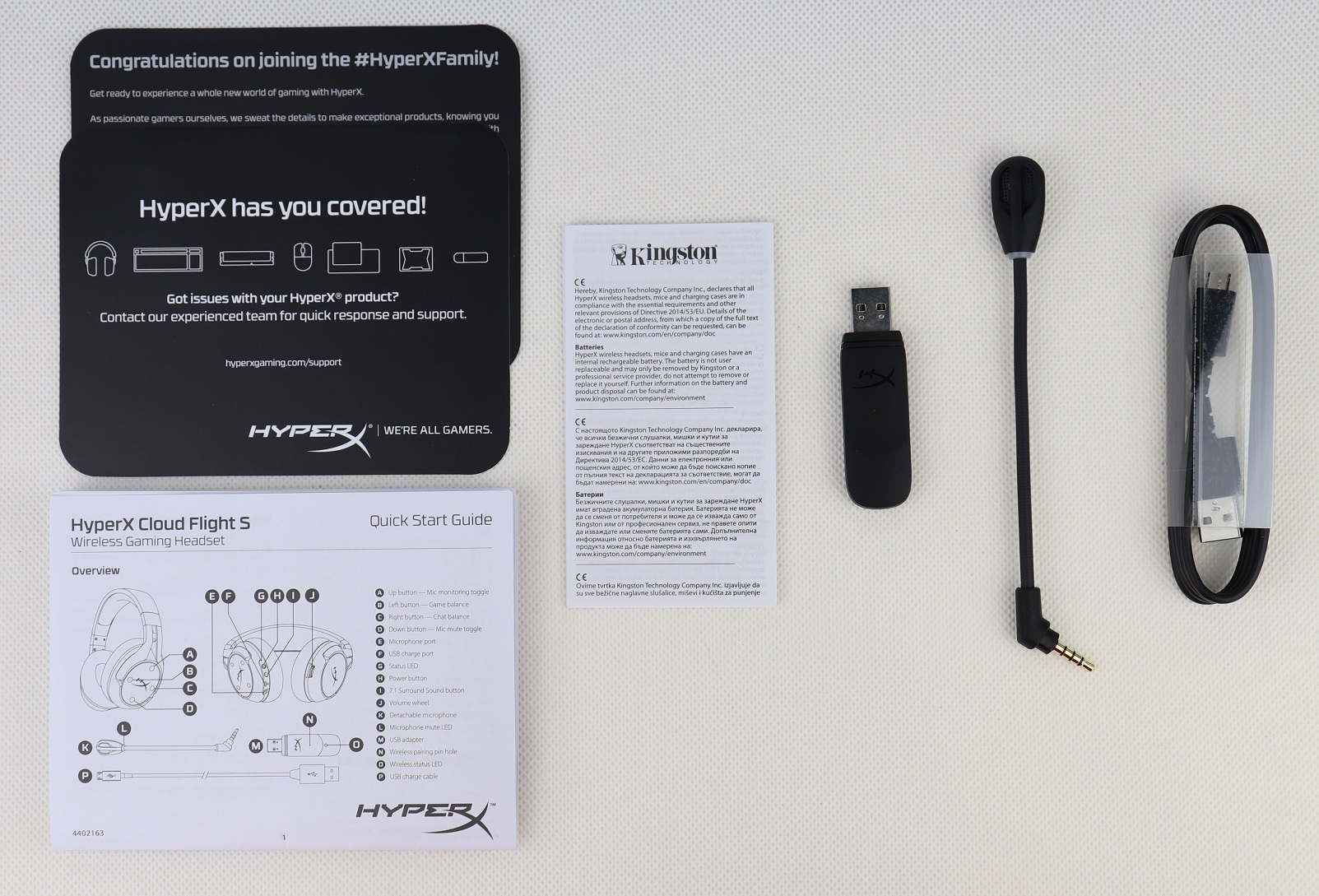
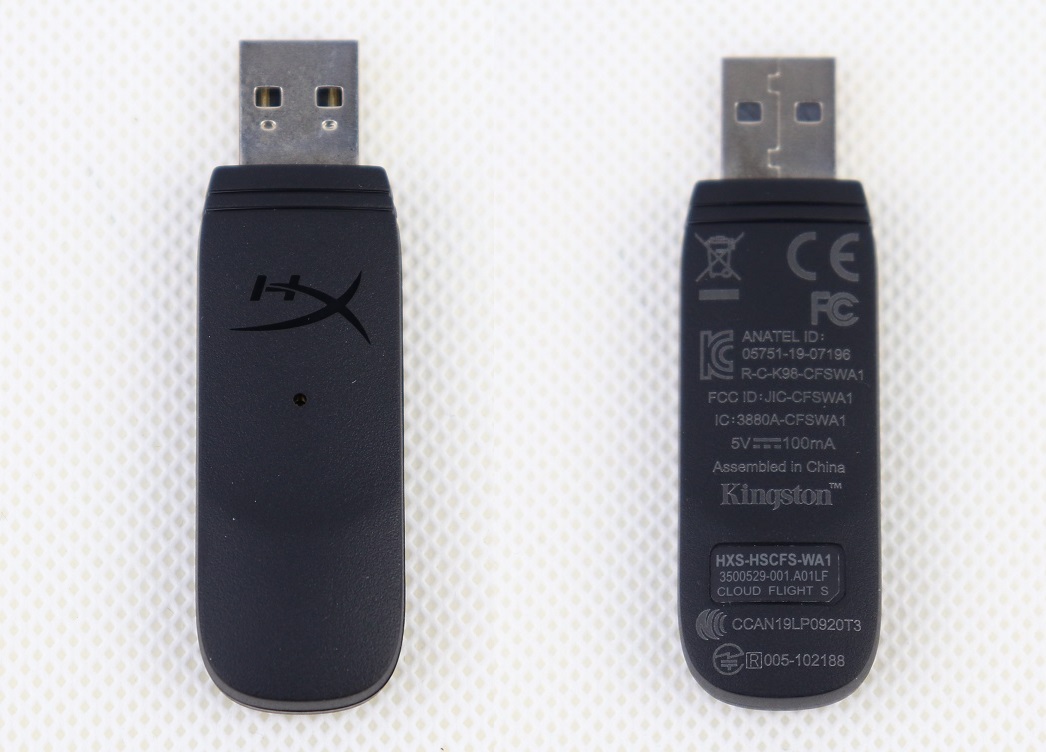
There are the USB wireless receiver, detachable microphone and a micro USB to USB Type-A charging cable (1.0 meter) inside the packaging. A quick start guide and HyperX support card are included as well.
HyperX Cloud Flight S Wireless Gaming Headset
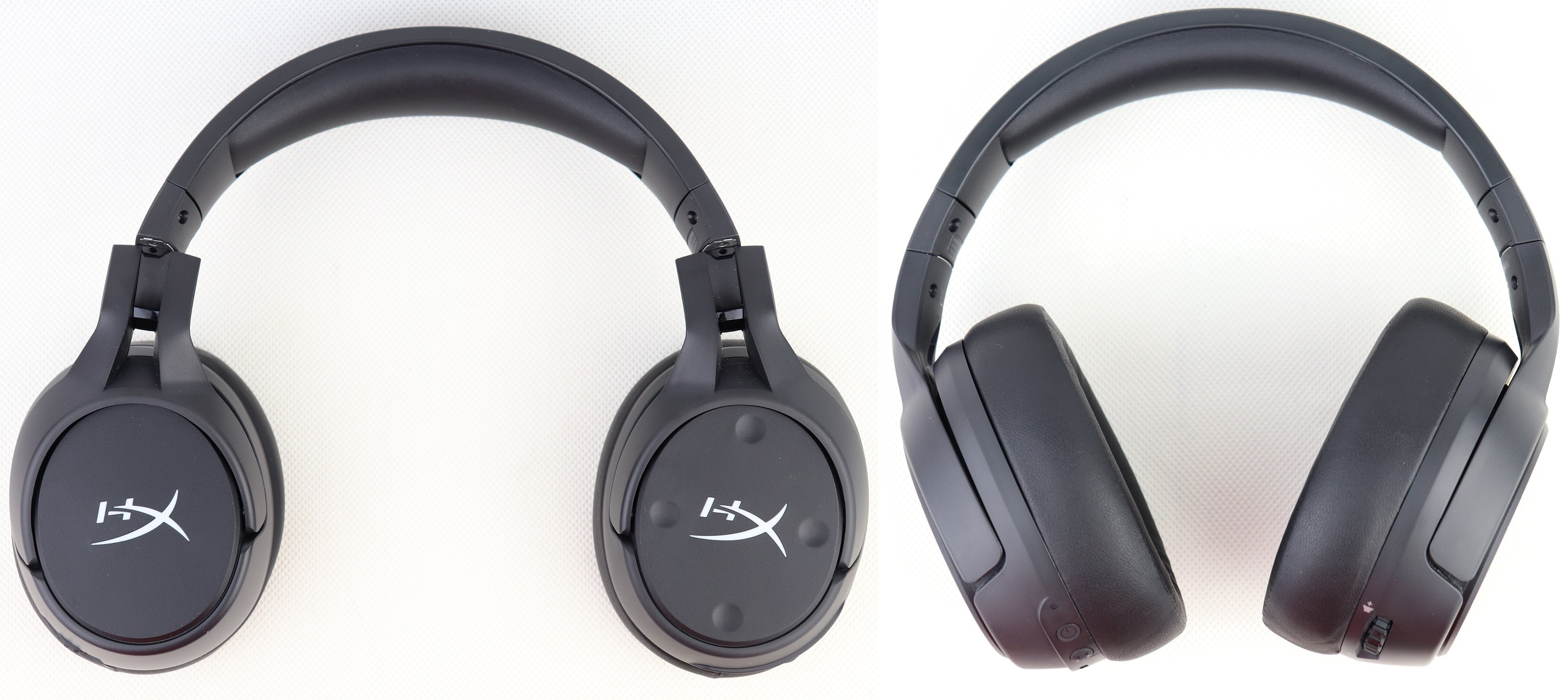
The Cloud Flight S utilizes a similar overall design from the Cloud Flight with the closed-back ear cups. The whole headset is made out of matte black plastic, and HyperX gets rid of the LED logos and exposed red cables. Without the microphone, it looks like a standard pair of Bluetooth headphone. The ear cups can be rotated by 90 degrees, which can be laid flat around your neck or table when not in use.
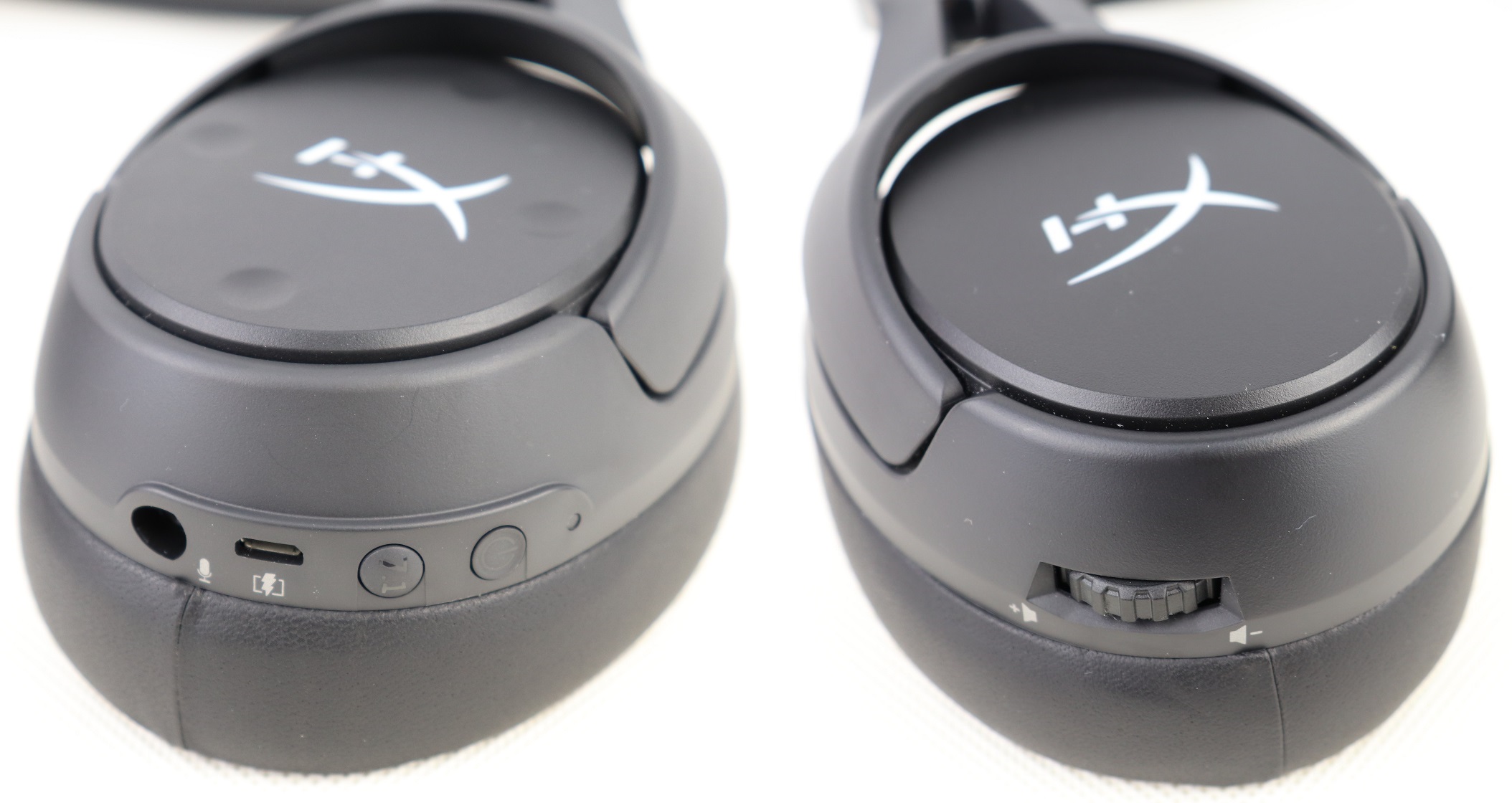
The left ear cup houses most of the ports and buttons. There are a 3.5 mm audio jack for the microphone, a micro USB charging port, a 7.1 virtual surround sound button and power button. The volume wheel can be found on the right ear cup.
Gone is the large mute button on the top of the left ear cup, replaced by the four tiny re-programmable buttons. They are defaulted to control mic monitoring/sidetone, mic mute and game/chat volume balances.
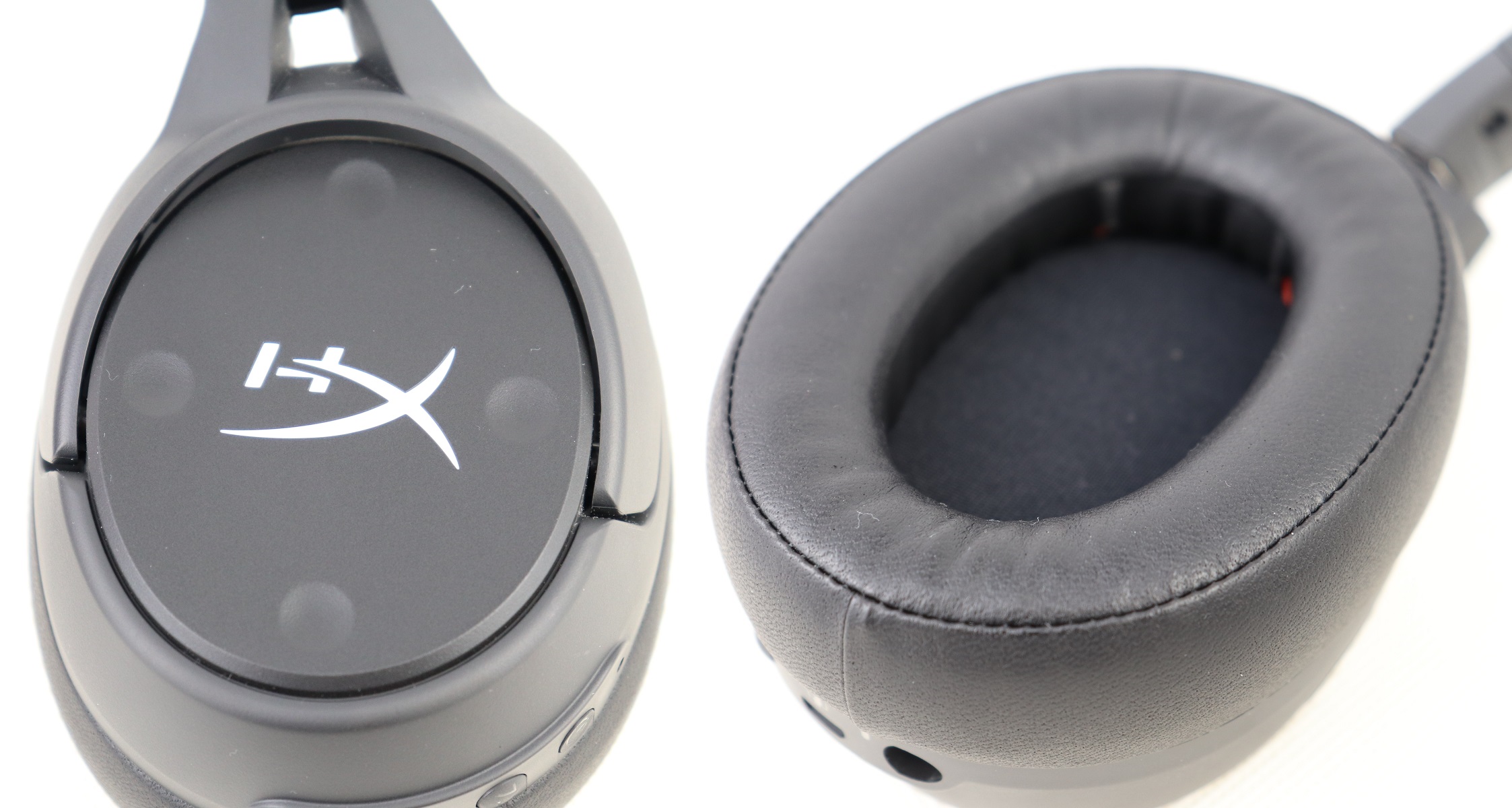
The ear pads on the Cloud Flight S are a lot thicker and more supportive than those in the Cloud Flight. Your ears should have great clearance away from the headset’s drivers.
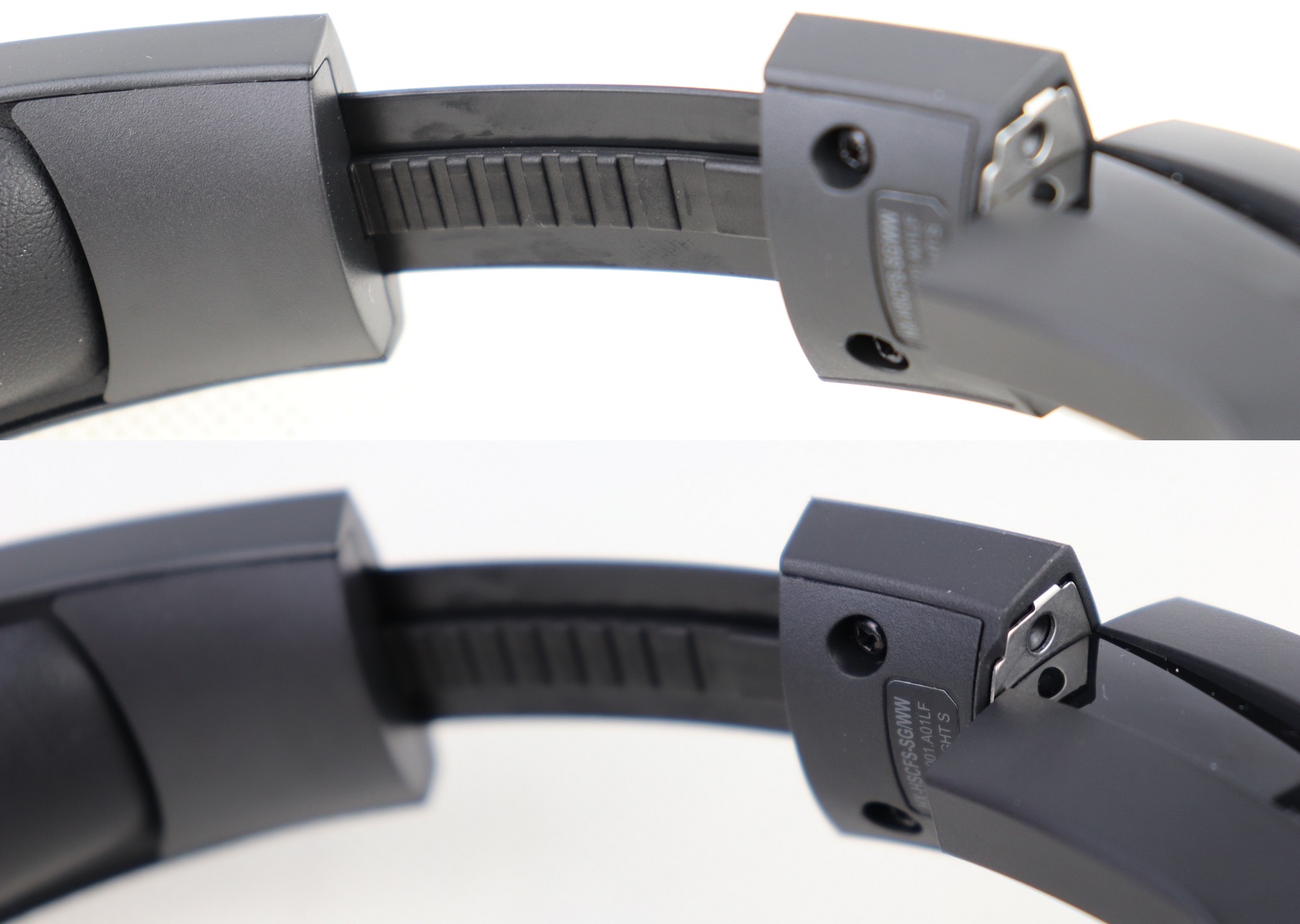
The metal frame provides up to 11 distinctive steps on both sides for size adjustments. The swivel joints of the Cloud Flight S have a slightly different design than normal headsets, which will lock the ear cups in place for wireless charging.
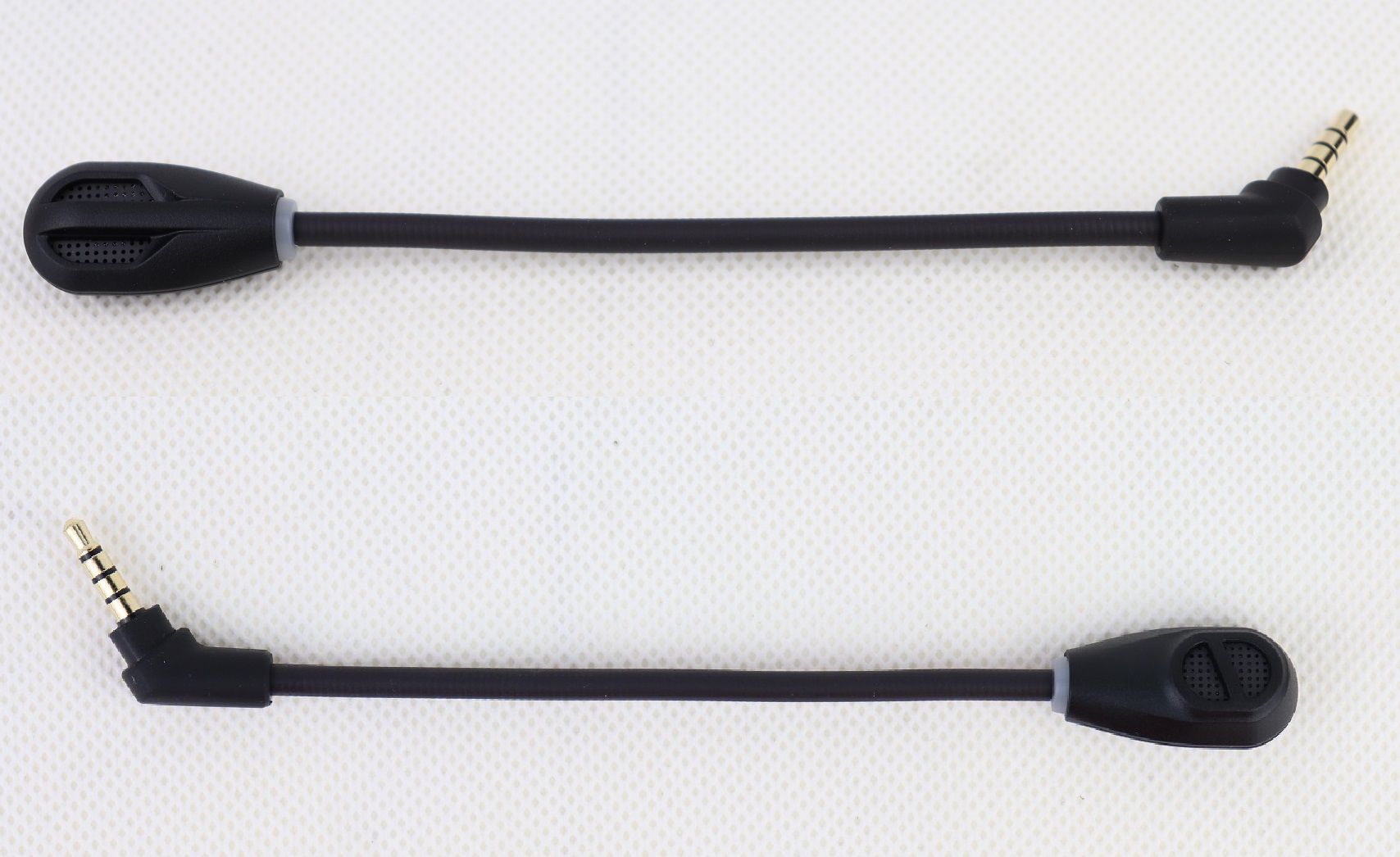
The noise-cancelling microphone is detachable via the 3.5 mm audio connector. A red LED ring is installed at the front, which will light up when the mic is muted. The arm can be bent to move the microphone to the desired position.
For the Cloud Flight S, HyperX completely removed its capability to use a wired connection. You can only operate and listen with the headset is via the included USB wireless receiver. It is compatible with PC, PS4 or PS4 Pro. Like most gaming-grade wireless peripherals, audio data is transferred through low-latency 2.4 GHz radio wave. HyperX claims to have a maximum range of 20 meters or 65.6 feet.
Review
Design
The Cloud Flight S weighs in at just 315 grams, which is very light as a wireless gaming headset with a big internal battery. Thanks to the soft cushion on the ear pads, wearing the headset for prolonged sessions is not a problem. I found it fits me more comfortable and secure than the original Cloud Flight, maybe because of the slightly increased clamping force or thickness for the padding.
The four dimple-like buttons offer more granular controls without the need to open the NGENUITY software. It is nice to have the ability to remap them to the users’ likings. The slightly recessed buttons do a great job in preventing accidental touches.
Features
The Cloud Flight S is added with similar custom-tuned 7.1 virtual surround sound from the Cloud Alpha S (its review here). It can be activated with the dedicated button, and is compatible in both PC and PS4 consoles. I notice the overall volume boost with the surround sound switched on. The 3D effects are immersive and offer accurate directional sound, with greatly expanded sound-stage and depth. The NGENUITY software will automatically optimize the sound profile, if it detects a specific number of games are playing, such as Rainbow Six Siege and Apex Legends.
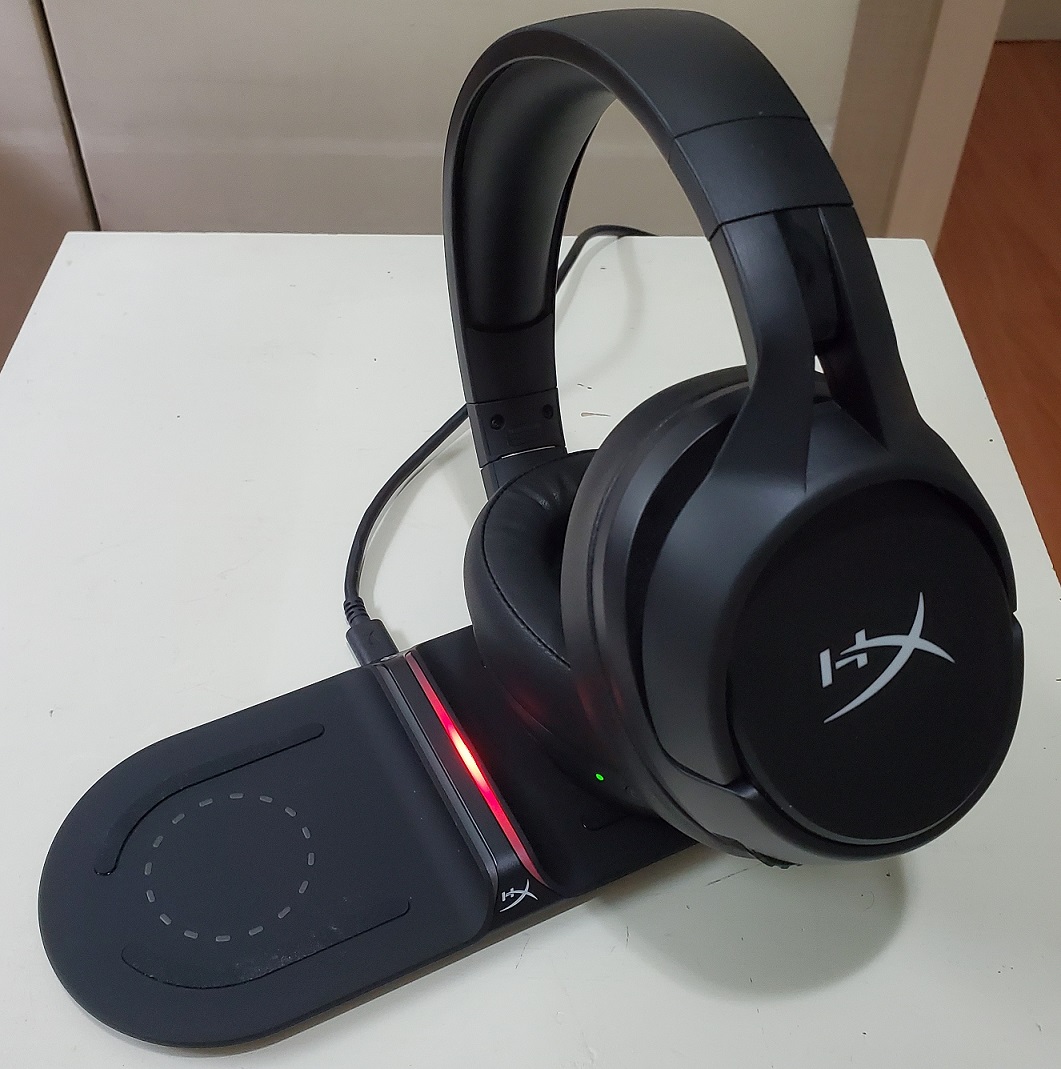
The Qi-compatible charging coil is located on the left ear cup, which allows for wirelessly charging the Cloud Flight S. An small green LED will start flashing to indicate that the headset is receiving power. Although HyperX has released the ChargePlay Base Qi charger for the Pulsefire Dart mouse and the headset, it will need to be purchased separately.
It would be awesome if the Cloud Flight S to have Bluetooth connectivity, which extends the headset supported platforms to smartphones and tablets. Combined with the stealthy black design, the headset can be used at public places and not limited to just gaming at home.
Sound Quality
The Cloud Flight S is powered by two 50 mm neodymium driver, which outputs relatively balance sound. Like most gaming headset, the bass is emphasized and punchy, while mids and highs are accurate and clean. The virtual surround sound feature puts in slightly more bass, that makes explosions and gun shots in games/movies more satisfying.
The beefier ear pads contribute to the better passive noise isolation for the headset. The ear cups can seal more snugly around your ears, even if you are wearing glasses.
Microphone Quality
The detachable microphone sounds almost identical to the one in the Cloud Flight, despite HyperX stated it with a wider frequency response (50 Hz to 18 kHz). The aggressive compression issue from most wireless headset is still present. Voices through Discord is clear with good background noise-cancellation. The addition of the mute LED and sidetone feature is helpful.
You can listen and compare to the various microphone samples here, from the gaming headsets we tested previously.
Wireless Range and Battery Life
With the USB receiver plugged into the back I/O, the Cloud Flight S has great wireless reception, which I do not experience perceptible lags or dropouts. The rated 20 meters of range should allow users to use the headset in almost all possible scenarios.
The Cloud Flight S (including the Cloud Flight) still have one of the best battery life among most wireless headsets, at up to 30 hours per charge. The elimination of the LEDs should drastically decrease power consumption. For our particular headset, I typically get around 25 hours to 30 hours of usage with the 7.1 virtual surround sound turned on (at 50% to 70% volume).
You probably do not have to worry about the battery life, if you own a Qi-certified wireless charger. The headset will automatically recharge, by simply placing it on the pad overnight after each gaming session. Otherwise, you can top up the headset via the micro USB port, which should be a USB Type-C port for a 2020 gadget.
Software
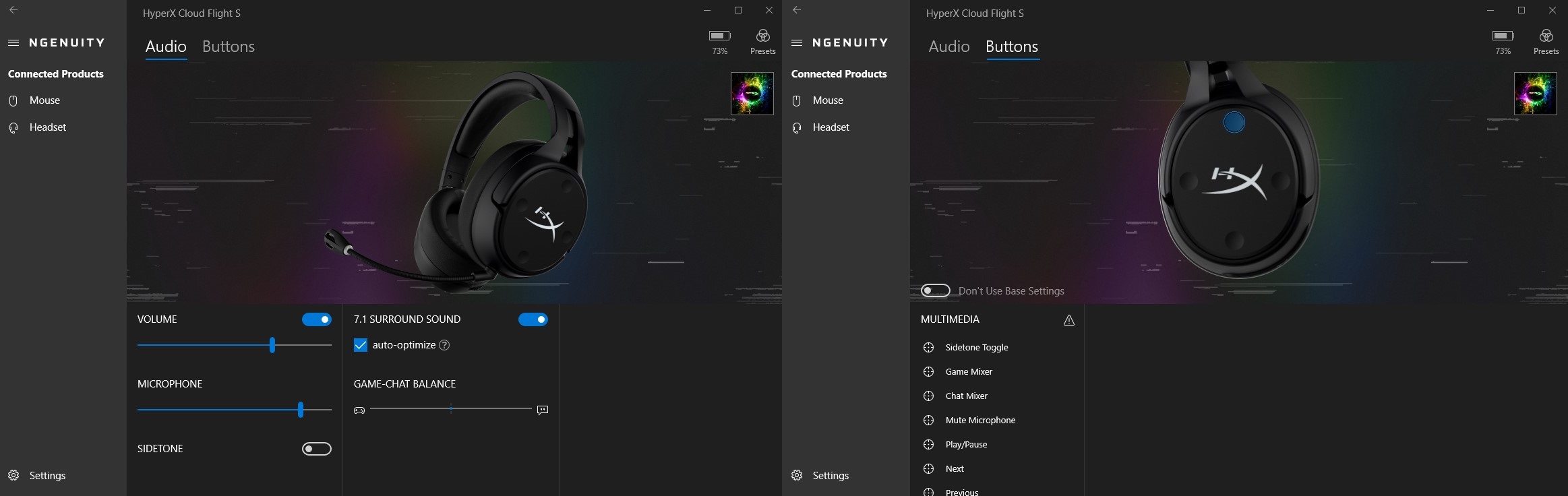
The Cloud Flight S will function normally without any software, but it can be further customized through NGENUITY (Beta). You can control the audio and microphone volume, as well as toggling the mic monitoring/sidetone. Unfortunately, there is still no equalization settings for the sound.
The four side buttons are re-configurable to perform certain actions. However, the NGENUITY software is required to run at the background, due to the lack of onboard profiles and memory.
Conclusion
The HyperX Cloud Flight S is an outstanding upgrade over the Cloud Flight, which fixes a couple of my previous complaints (7.1 virtual surround sound and microphone sidetone feature). The build quality is solid with the extremely comfortable ear pads’ cushion. The implementation of Qi wireless charging makes recharging the headset more convenient, not to mention the already excellent 30-hour battery life.
The Cloud Flight S costs $159.99 USD (MSRP) with a 2-year warranty, while the Cloud Flight drops to $139.99 USD (MSRP). It is on the expensive side of the wireless gaming headset market, which is $10 USD more than the SteelSeries Arctis 7. However, I do think the newly-added features are worth the small $20 USD premium over its predecessor. The Cloud Flight S offers the only option currently to be able to wirelessly charge via the Qi standard.
For more information, you can visit the HyperX product page. The headset can be purchased from your local/online resellers or the links below from Amazon or Newegg.
Thanks HyperX for providing us the headset for review. (Review Sample)
Feel free to leave comments below, if you have any opinion about this website. Share the website around if you enjoy reading it. Subscribe to our Newsletter or follow our Twitter, Facebook and Instagram.
Support this website simply by shopping in Amazon and Newegg. It will give us small kickbacks, if you use the above affiliate links to make any purchases, which will help us grow.
What is UFS? UFS or Universal Flash Storage is a newer flash memory specification, with the intention to replace the slower eMMC (embedded MultiMedia Card) standard. It is designed by JEDEC, and was first introduced in 2011. UFS 3.1 is the latest iteration, which offers performance close to desktop-grade NVMe SSDs and is considered the future of mobile storage standard.
Performance
Sequential Read
Sequential Write
Random Read
Random Write
Total Bandwidth
UFS 3.1
2100 MB/s
1200 MB/s
100,000 IOPS
70,000 IOPS
2900 MB/s
UFS 3.0
2100 MB/s
410 MB/s
63,000 IOPS
68,000 IOPS
2900 MB/s
UFS 2.1
860 MB/s
255 MB/s
42,000 IOPS
40,000 IOPS
1200 MB/s
UFS 2.0
350 MB/s
150 MB/s
19,000 IOPS
14,000 IOPS
1200 MB/s
eMMC 5.1
250 MB/s
125 MB/s
11,000 IOPS
13,000 IOPS
400 MB/s
eMMC 5.0
250 MB/s
90 MB/s
7,000 IOPS
13,000 IOPS
400 MB/s
eMMC 4.5
140 MB/s
50 MB/s
7,000 IOPS
2,000 IOPS
200 MB/s
UFS 3.0/3.1 has more than double the total theoretical bandwidth at 2900 MB/s, compared to UFS 2.0/2.1’s 1400 MB/s. The UFS 3.1 storage can reach maximum sequential read/write speeds at 2100 MB/s and 1200 MB/s respectively. Random read/write performance is comparable to a SATA-based SSD at around 100,000 IOPS and 70,000 IOPS.
UFS has a significant advantage in performance over eMMC. We can see UFS 2.0 beating eMMC 5.1 in all aspects, with UFS 3.0 extending the lead by a larger margin. UFS 3.1 is 8.4 and 9.6 times faster in sequential operations.
Please note that the above numbers are for reference only, as the exact performance will be slightly different depends on the manufacturers, capacities and file systems. We are using publicly available data from Samsung’s websites (UFS 3.1, UFS 3.0, UFS 2.0 and eMMC) for comparison.
Features
UFS is equipped with a full-duplex LVDS (Low Voltage Differential Signalling) serial interface for data transfers. This allows for read and write operations to be carried out simultaneously. Along with support for SCSI Tagged Command Queuing, UFS can work on multiple commands at the same time and reorder tasks if necessary.
UFS 3.1 brings in more upgrades from standard SATA and NVMe SSDs to mobile devices. For example, Write Booster reserves a small amount of the capacity and treats the MLC/TLC/QLC as SLC NAND flash. The pseudo-SLC will act as cache for higher write speeds. HPB (Host Performance Booster) utilizes the onboard system DRAM to store the translation table or Logical to Physical (LTP) address map for greater random performance.
UFS vs eMMC
Despite the inferior performance, eMMC remains the cheaper and more popular option for smartphones, tablets and laptops at the moment. However, it has not been updated with notable improvements, since the launch of eMMC 5.1 in 2015.
In contrast, UFS is constantly being developed with UFS 4.0 coming in 2022, which will further increase the bandwidth to around 4800 MB/s. It can be implemented with more advanced flash memory technologies for better performance, efficiency and durability, such as multi-layer 3D TLC or QLC NAND flash.
Feel free to leave comments below. Share the article if you enjoy reading it. Follow us on Twitter, Facebook, Instagram and Pinterest.
Support this website simply by shopping on Amazon and Newegg. We will receive small kickbacks, if the above affiliate links are used to make any purchases.
The Pulsefire Core is the entry-level gaming mouse in HyperX’s lineup, priced under $30 USD. On paper, it still has a few nice features up its sleeve, such as customizable RGB lighting and Pixart PAW3327 sensor.
Unboxing
The cardboard box, containing the Pulsefire Core, gets the signature red and white color scheme. Photos of the mouse and its highlighted features are printed around the packaging.
The side of the box has the detailed specifications of the Pulsefire Core, such as weight and sensor model. The mouse will work on computers with Windows 7, 8, 8.1 and 10 installed.
You get the usual HyperX support card and a quick start guide inside the box.
HyperX Pulsefire Core RGB Gaming Mouse
The Pulsefire Core is an ambidextrous mouse, with a symmetrical shape. But only the left side is fitted with buttons, for right-handed users. The mouse has physical dimensions of 119 mm x 64 mm x 41 mm (L x W x H). It weighs about 87 grams (~89 grams on our own scale) excluding the 1.8-meter braided USB cable.
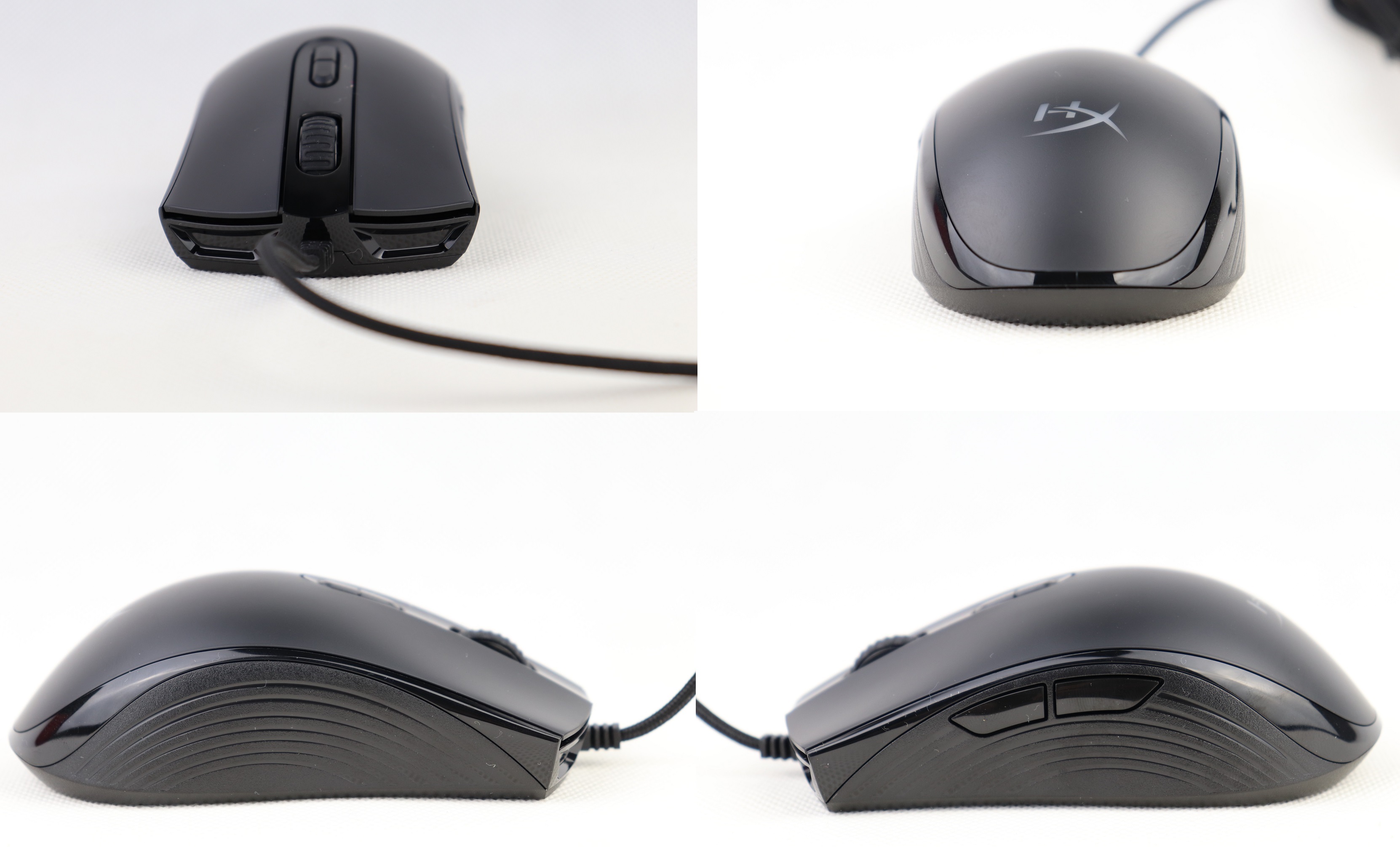
The mouse’s body is mainly made from matte plastic and decorated with some glossy parts around the edge. The HyperX logo is translucent to allow for the RGB lighting to pass through. Two large rubber feet is position at the top and bottom.
The Pulsefire Core sits in the middle in terms of overall size. The taller hump is shifted more towards the back, which is best suited for claw grip users. All the buttons are easily accessible.
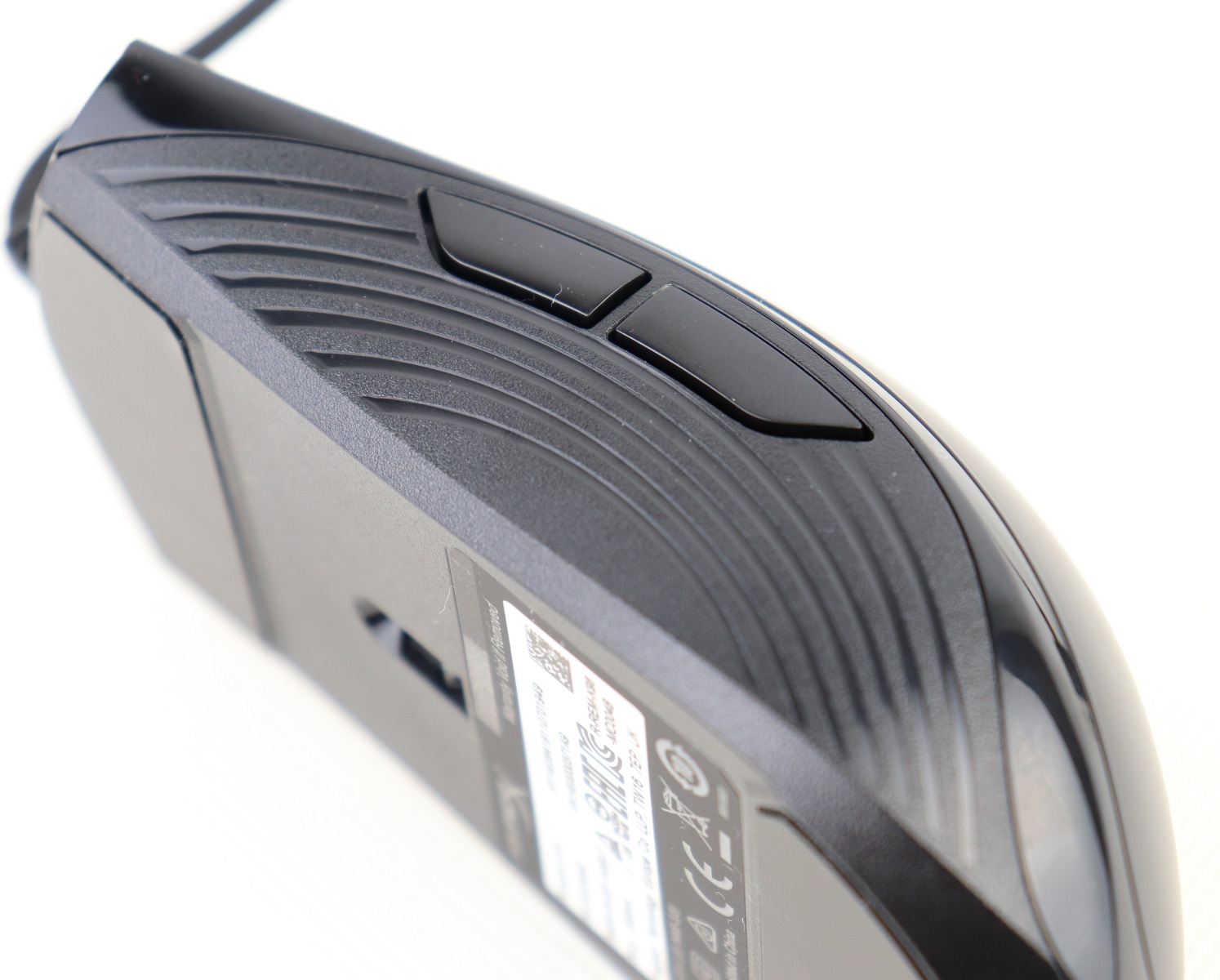
There are total of seven re-programmable buttons on the Pulsefire Core, including the two behind the scroll wheel. The two primary buttons are rated to last for at least 20 million clicks, which the switches are manufactured by TTC.
Both sides of the mouse are equipped with this rainbow-like textured plastic to improve the grip and handling.
Review
Sensor
The Pulsefire Core uses an entry-level optical sensor for gaming, named PixArt PAW3327. It is able to reach up to 6200 native DPI, 220 IPS and 30 G of acceleration. The polling rate is at 1000 Hz or 1 ms, and can be reconfigured down to 125 Hz (8 ms) in the NGENUITY (Beta) software.
The Pulsefire Core’s CPI/DPI divergences are tested using MouseTester v1.5.3. We observed tiny differences between the nominal and measured CPI at around -4.21% to +0.3%. The largest and smallest discrepancies were located at 6200 DPI and 1000 DPI respectively. The actual CPI tends to deviate more with higher DPI levels.
The sensor handled the polling rate at 1000 Hz well enough, with no sudden spike or drop. The frequencies hovered around 900 Hz to 1100 Hz during the mouse movements.
From my personal experience, the cheaper and less advanced PAW3327 sensor did not feel noticeably worse or different from the high-end PMW3389 in normal day-to-day use and in games. The tracking is smooth and accurate without unwanted jittering and acceleration. For reference, the mouse was set to 1200 DPI.
User Experience
Although the Pulsefire Core has a symmetrically-shaped body, it is mostly intended for right-handed users, due to the one-sided buttons. The mouse should work fine with both claw and palm grips. The under-100 grams weight allows for quicker and easier movement control.
The primary buttons are tactile and responsive enough, but they felt a bit too stiff when first unboxed. Fortunately, they kind of broke in after using them for a while. The use of 20 million clicks-rated switches means they should be reasonably durable. The scroll wheel is light and does not have very distinct steps. The braided USB cable is a nice addition to such an affordable mouse.
Software
The Pulsefire Core is updated to use the new NGENUITY (Beta) software for customization, just like most HyperX peripherals. It is currently only available through the Microsoft Store.
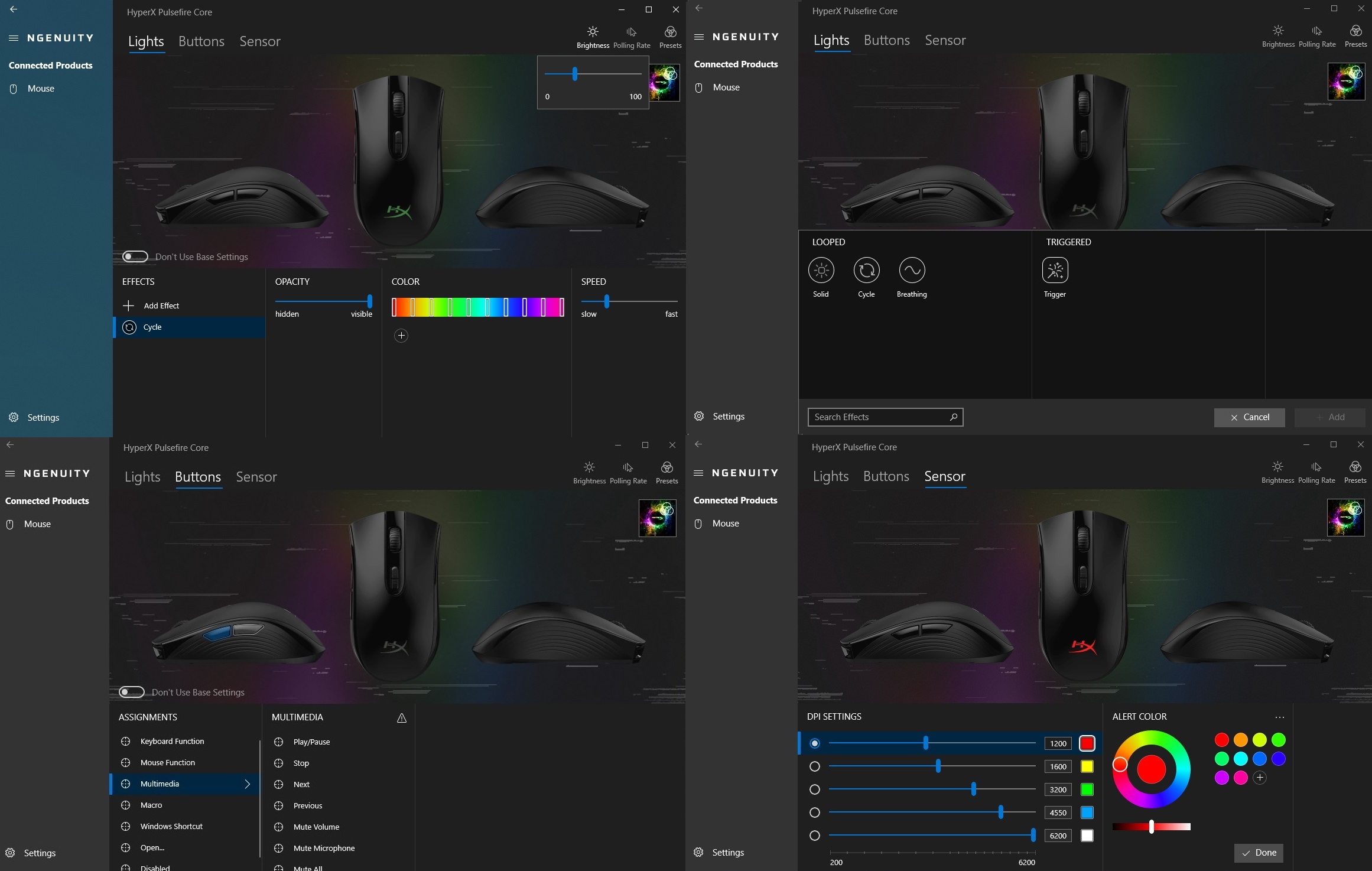
The software is separated into three main sections, including Lights, Buttons and Sensor. There are seven programmable buttons on the mouse, which can be set to specific macro actions, perform Windows shortcuts and open files/applications. You can add and adjust up to five DPI settings, from 200 DPI to 6200 DPI at a 50 DPI interval.
The top right corner is where you configure the polling rate of the sensor and save/sync your profile to the onboard memory.
RGB Lighting
The HyperX logo on the Pulsefire Core’s body is the only lighting zone. Options for controlling the RGB lighting in the NGENUITY (Beta) are comprehensive. You can alter the brightness, opacity, speed and colors of the effects. There are four pre-loaded effects, such as breathing and trigger. The transitions between colors are smooth and the lighting is sharp and vivid.
Conclusion
The HyperX Pulsefire Core is a solid all-round affordable gaming mouse. The lower-end PAW3327 sensor has sufficient performance for an average consumer with accurate tracking. The main buttons are tactile and durable, from the 20 million clicks-rated TTC switches. Build quality is excellent without rattling noises when shaking.
The NGENUITY (Beta) software is an improvement over the older version, but still requires some refinement for a better user experience. As mentioned on the review of the Pulsefire Raid, the profile/preset sync feature is confusing and lacks explanations. Re-assigning buttons’ functions and controlling RGB lighting effects are simple with tons of customization.
The Pulsefire Core costs $29.99 (MSRP) with a 2-year warranty. It is currently on sale for around $24 USD at the time of this review. Other budget gaming mice, such as the Logitech G203 LIGHTSYNC and SteelSeries Rival 3, are priced around $35 USD to $40 USD. The Pulsefire Core is one of the cheapest mice in the market, with comfortable shape, decent performance and RGB lighting.
Thanks HyperX for providing us the mouse for review. (Review Sample)
Feel free to leave comments below, if you have any opinion about this website. Share the website around if you enjoy reading it. Subscribe to our Newsletter or follow our Twitter, Facebook and Instagram.
Support this website simply by shopping in Amazon and Newegg. It will give us small kickbacks, if you use the above affiliate links to make any purchases, which will help us grow.